


- AI semantic search in documents uses artificial intelligence to understand the meaning and intent behind search queries, retrieving relevant documents based on context rather than exact keywords.
- Intelligent search for files relies on natural language processing and machine learning to deliver accurate results from various document types, reducing time spent on irrelevant results.
- Advanced document search tools enable quick retrieval of specific information, such as extracting metadata from purchase orders or applying filters to find relevant data in cloud storage.
- Enterprise search AI platforms integrate with multiple data sources to break down data silos, improving search accuracy for sensitive business information and business processes.
- AI-powered document retrieval saves valuable time by automating repetitive tasks, helping employees retrieve information faster and enhancing overall customer experience.
When teams handle vast amounts of documents across cloud storage and multiple platforms, traditional search methods might often lead to irrelevant results or wasted search time. Advanced AI-powered document retrieval changes this by focusing on user intent and context.
This article explores top platforms for AI semantic search in documents. It covers definitions, key features, and practical benefits. Let’s get started.
What is AI semantic search in documents?
AI semantic search in documents goes beyond simple keyword matching. It uses artificial intelligence to interpret the context and meaning of search queries. This approach ensures users find relevant documents even if they use different words from the original content.
For example, a query like “find contracts with payment terms” might retrieve files discussing “invoice schedules” or “billing agreements.” This method relies on natural language processing to analyze document content, metadata, and relationships between ideas. Also, learn more about AI PDF chat, or an AI assistant that allows you to have a live conversation with any document. In other words, instead of searching the document for information, you can ask direct questions to the AI and get answers right away.
pdfFiller helps users locate exact documents quickly through its document processing tools. Our platform handles various file types, including PDFs and scanned images, using optical character recognition for accurate text extraction. This feature aligns with industry best practices for information retrieval systems, ensuring compliance with standards like the ESIGN Act for digital document handling.
To get started, upload a document to pdfFiller and enter a search query in the interface. The system scans content and returns results ranked by relevance.
Sign up for a free trial to see pdfFiller in action.
Create, eSign, and manage your documents in one place.
How is AI used in information retrieval?
AI plays a central role in modern information retrieval by making search engines smarter and more efficient. It processes search queries through machine learning algorithms that learn from patterns in data. This allows the system to deliver relevant results tailored to user intent.
In document search, AI examines structured data like tables in purchase orders and unstructured text in reports. It identifies entities, such as names or dates, through entity extraction. This improves search accuracy compared to basic keyword searches that ignore context.
Enterprise search tools use AI to index content from diverse sources, including emails and cloud storage. pdfFiller integrates with business needs, allowing teams to apply filters and retrieve information without manual sorting. Learn more about pdfFiller’s AI-powered features, such as AI PDF Summarizer, AI Document Creator, and AI PDF Chat.
One key benefit is reduced time searching for files. Employees can focus on problem-solving instead of sifting through irrelevant results. This aligns with best practices from standards bodies, emphasizing secure handling of sensitive data.
What is intelligent search?
Intelligent search refers to systems that understand natural language queries and deliver context-aware results. Unlike traditional search engines that rely on boolean operators, intelligent search for files uses cognitive search techniques to grasp nuances in user requests.
For instance, searching for “recent sales reports with high revenue” might pull documents from the last quarter that mention “top-performing deals,” even without exact phrasing. This is powered by natural language processing, which breaks down queries into components like intent and entities.
In an enterprise setting, intelligent search platforms connect data silos across departments. They extract metadata from documents, such as author or creation date, to refine results. pdfFiller enhances document processing by combining robust tools with user-friendly interfaces, ideal for teams managing product documentation or knowledge bases.
What are the key features of advanced document search tools?
Advanced document search tools offer features that streamline how teams find relevant documents. These tools handle complex queries and provide structured outputs.
Key features include:
- Natural language queries: Users type everyday questions, and the tool interprets meaning using machine learning.
- Entity extraction and metadata handling: The system identifies key elements like dates or names and uses them to filter results.
- Integration with multiple platforms: Connects to cloud storage and mobile applications for seamless access.
- Search accuracy enhancements: Applies filters to exclude irrelevant results and ranks outputs by relevance.
- Support for various document types: Processes PDFs, Word files, and scanned images via optical character recognition.
pdfFiller provides document retrieval tools that include these advanced search features. For example, in legal workflows, it helps extract information from contracts securely. Our platform complies with industry standards for data protection, ensuring sensitive business information remains safe. To explore secure legal e-signature compliance, visit our legal solutions page.
These features reduce repetitive tasks and save time, allowing businesses to retrieve the right documents faster.
How does enterprise search AI improve business processes?
Enterprise search AI transforms how organizations manage information by unifying access to data across sources. It breaks down data silos, enabling teams to find relevant information from emails, databases, and shared drives in one place.
This technology uses machine learning to learn from user behavior, improving results over time. For big data environments, it handles high volumes without slowing down, delivering accurate results for search criteria like “Q3 financial summaries.”
In practice, enterprise search platforms enhance customer experience by speeding up responses. Sales teams can quickly access product documentation, while HR pulls employee records efficiently. pdfFiller is an all-in-one solution that supports business processes, aiding tasks like filling forms or requesting signatures.
A step-by-step guide to using enterprise search:
- Index your documents by uploading them to the platform.
- Enter a query in natural language, such as “find policies on remote work.”
- Review ranked results and apply filters for precision.
- Extract needed data or share documents securely.
This approach helps employees perform tasks faster, boosting productivity.
What are the top platforms for advanced semantic search in documents?
Top platforms for advanced semantic search in documents provide robust solutions for enterprise needs. These tools focus on semantic understanding to deliver relevant results. Below is an overview of five leading platforms, including features, pros and cons, ease of use, and user reviews based on recent evaluations.
1. Elasticsearch

Elasticsearch is an open source, distributed search and analytics engine built for speed, scale, and AI applications.
Elasticsearch is a distributed search and analytics engine that excels in handling large-scale document indexing and semantic search. Key features include semantic text search, machine learning integrations for relevance tuning, support for vector embeddings, and real-time querying across unstructured data sources.
Pros: Highly scalable for big data; fast performance on complex queries; open-source flexibility with enterprise add-ons; strong community support.
Cons: Steep learning curve for configuration; requires technical expertise for optimization; potential complexity in cluster management.
Ease of use is moderate, with a user-friendly interface that reduces the learning curve for experienced users but may challenge beginners. User reviews rate it highly, averaging 4.3 /5 and 4.4 /5 on platforms like G2 and Gartner respectively, with praise for its speed and reliability in production environments. Users note it boosts productivity in data exploration tasks.
2. Coveo

Coveo is generative AI‑Search built for enterprise ROI.
Coveo is an AI-driven platform for unified search across customer and employee experiences. Features include semantic relevance scoring, personalized result ranking, integration with content management systems, and analytics for query optimization. It supports hybrid search combining keywords with contextual understanding.
Pros: Highly configurable for custom experiences; excellent integration with enterprise tools; strong focus on user intent for accurate results; robust customer support.
Cons: Higher pricing for advanced features; initial setup can be time-intensive; customization may require professional assistance.
Reviews average 4.3/5 and 7.9/10 on G2 and TrustRadius, with users appreciating its role in e-commerce and support workflows for delivering relevant documents quickly.
3. Azure AI Search

Azure AI Search is a centralized solution for agentic retrieval-augmented generation (RAG) workflows that simplifies how agents connect to enterprise data.
Azure AI Search, part of Microsoft’s cloud ecosystem, provides scalable indexing for documents and AI-enhanced retrieval. Core features encompass vector and hybrid search, semantic ranking with language models, support for RAG applications, and seamless integration with Azure services for secure data handling.
Pros: Excellent scalability and reliability; deep integration with Microsoft tools; advanced semantic capabilities for unstructured content; cost-effective for Azure users.
Cons: Pricing can be high for non-Azure environments; less intuitive for non-developers; dependency on cloud infrastructure.
Ease of use is developer-friendly but moderate overall, with APIs simplifying implementation. It earns 4.4 / 5 and 4.2/5 on Gartner and TrustRadius respectively,valued for timely and reliable content search in enterprise settings. Reviewers highlight its effectiveness in AI agent workflows.
4. Glean
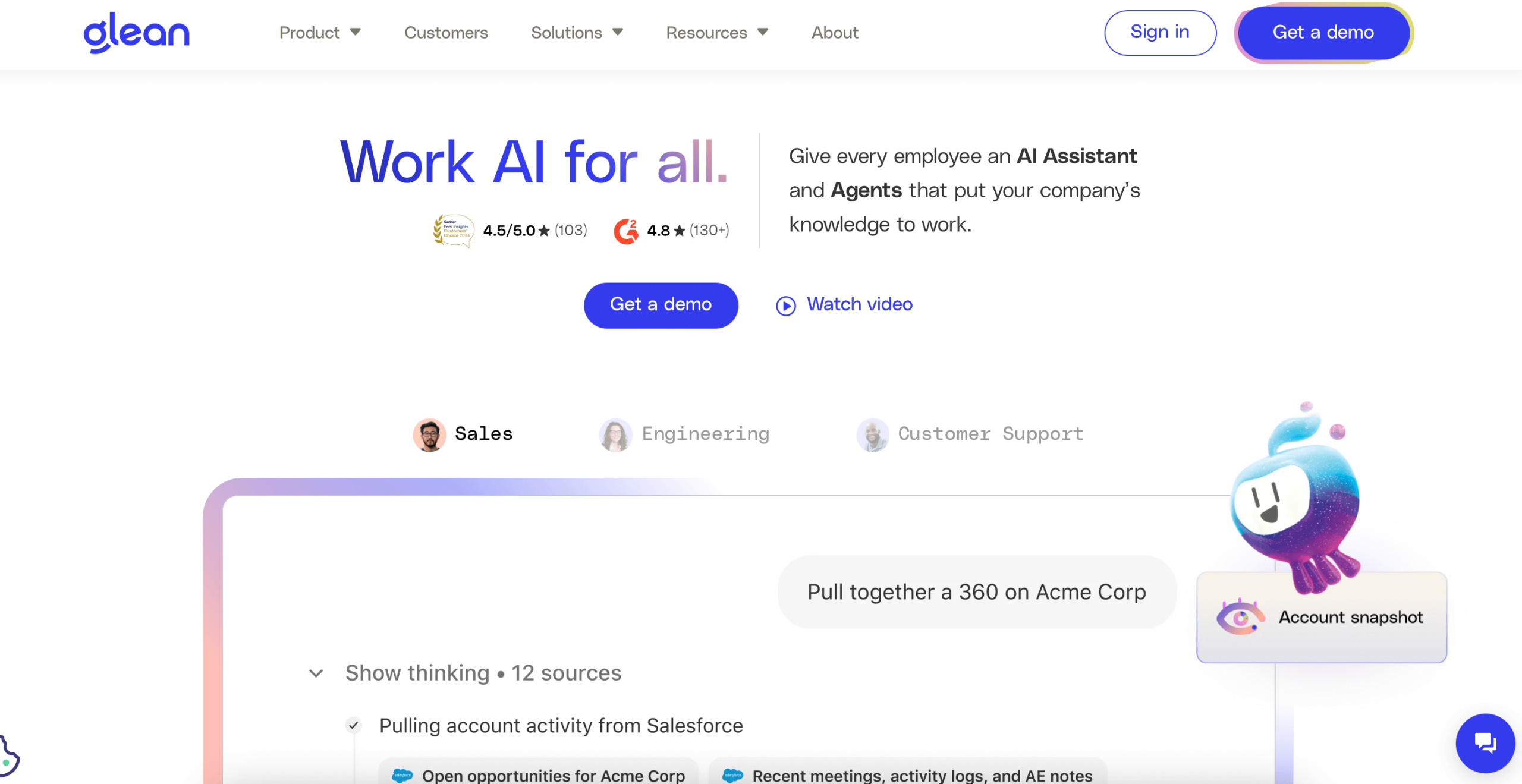
Glean is a centralized platform for quickly and securely deploying AI in the enterprise.
Glean is an enterprise knowledge discovery tool that uses AI for cross-app searches. Features include natural language query processing, role-based personalization, integration with tools like Slack and Confluence, and summarization of relevant documents for quick insights.
Pros: Intuitive interface saves significant time; high accuracy in retrieving context-specific information; easy customization by role; strong privacy controls.
Cons: Occasional configuration hurdles during onboarding; limited to integrated apps without custom extensions; evolving feature set.
Ease of use is excellent, with simple daily interactions praised in reviews. It scores 4.7/5 on G2, noted for enhancing productivity in information-heavy teams.
5. Pinecone

Pinecone is the leading vector database for building accurate and performant AI applications at scale in production.
Pinecone is a managed vector database optimized for semantic search in AI applications. It offers features like real-time vector indexing, metadata filtering, hybrid retrieval for documents, and support for embeddings from various models, enabling fast similarity searches.
Pros: Simple setup with high performance; fully managed to avoid infrastructure hassles; scalable for real-time use cases; flexible for semantic and hybrid queries.
Cons: Lacks confirmation on data deletions; costs rise with scale; focused more on vectors than full-text alone.
Ease of use is seamless, especially for developers building search systems. Reviews average 4.6/5 on G2 and PeerSpot, commended for its semantic search in RAG and enterprise apps, with users highlighting ease and speed.
These platforms can complement document management solutions like pdfFiller, where processed files can feed into semantic systems for enhanced retrieval. For healthcare-specific needs, see our secure healthcare document workflows.
How can AI-powered search enhance search results?
AI-powered search refines search results by prioritizing relevance over volume. It analyzes user intent to surface the most useful documents first, minimizing irrelevant outputs.
In document management, this means better handling of queries like “summarize vendor agreements.” The system uses generative AI to not only find but also summarize content. This cuts down on manual review time.
Businesses benefit from faster decision-making. For instance, finance teams retrieve accurate purchase orders quickly, avoiding errors in processing. pdfFiller enhances this by combining search with editing tools, all while maintaining data security.
Compared to traditional methods, AI reduces false positives. It learns from past searches to refine future ones, aligning with best practices in information retrieval.
Final thoughts
Advanced semantic search in documents revolutionizes how businesses access information. By leveraging AI, teams overcome limitations of keyword-based tools, achieving higher search accuracy and efficiency. Platforms like those overviewed demonstrate how intelligent search for files can integrate seamlessly into daily operations, supporting everything from simple queries to enterprise-level needs.
As a trusted provider with extensive experience in compliant document solutions, pdfFiller helps organizations save time and focus on growth. Ready to experience efficient document retrieval? Start your free trial with pdfFiller today and discover how our advanced features can transform your workflows.
Glossary
- Semantic search: A search method that interprets the meaning and context of queries to deliver relevant results, often using AI and natural language processing.
- Natural Language Processing (NLP): A branch of AI that enables computers to understand and process human language, key for handling complex search queries.
- Enterprise search AI: AI-driven systems that unify and search across an organization’s data sources, improving retrieval for business processes.
- Cognitive search: An advanced form of search that mimics human reasoning to understand user intent and provide context-aware results.
- Optical Character Recognition (OCR): Technology that converts images of text, like scanned documents, into searchable digital text.
FAQ
1. What is the difference between semantic search and traditional search?
Semantic search uses AI to understand context, intent, and meaning behind queries, delivering more accurate results. Traditional search relies on keywords and boolean operators, which can return less relevant matches because it does not interpret context.
2. How does pdfFiller support document search?
pdfFiller supports intelligent document search by:
- Processing natural language queries
- Extracting metadata from PDFs and other file types
- Retrieving relevant documents based on context, not just keywords
- Integrating with cloud storage for seamless file access
3. Can enterprise search handle sensitive business information?
Yes. Enterprise search platforms include strong security features such as:
- Data encryption
- Access control permissions
- Compliance with privacy standards
- Secure storage and audit controls
4. What role does natural language processing play in advanced document search tools?
Natural language processing (NLP) improves search accuracy by:
- Breaking down queries into understandable components
- Recognizing synonyms, context, and intent
- Finding relevant information across a variety of document types
- Reducing false matches caused by simple keyword overlap
5. How can businesses implement intelligent search for files?
Businesses can implement intelligent search by:
- Selecting a platform with content indexing and AI-driven search features
- Uploading documents into a centralized system
- Testing search queries to validate accuracy
- Training the system on business-specific terminology
- Refining search settings for optimal results
Table of contents


