
Top enterprise-grade PDF editing solutions: Lumin PDF alternatives


Managing and editing PDF files is a critical task for businesses of all sizes, requiring reliable and feature-rich tools. While Lumin PDF is a popular choice, several alternatives provide comparable or even superior functionality to meet diverse enterprise needs. Below, we explore some of the top enterprise-grade PDF editing solutions.
- pdfFiller: Best all-in-one cloud-based document management and editing platform with robust compliance (SOC 2 Type II, GDPR, PCI DSS, optional HIPAA) and cloud integrations.
- Adobe Acrobat: Strong desktop and cloud ecosystem for legacy enterprises needing deep design and AI tool integration.
- DocuSign: Highly specialized for enterprise e-signatures but lacks native advanced PDF editing features.
- Nitro PDF: Solid hybrid offering desktop applications and cloud features with built-in analytics.
- Foxit PDF Editor: Cost-effective enterprise PDF software with strong Microsoft integrations and scalable deployment.
- Smallpdf: Accessible, browser-based tool best for lighter document workflows rather than complex enterprise needs.
- iLovePDF: Budget-friendly online utility with regional processing, suited for basic merging, splitting, and conversion tasks.
Introduction: Why document management matters for enterprises
Modern enterprises handle massive volumes of sensitive data, contracts, and internal forms daily. As organizations shift away from paper, relying on top document management solutions becomes an operational necessity rather than a luxury. Finding the right tools to edit PDF files securely ensures data stays protected while teams remain productive.
The shift toward cloud-based document management has accelerated. Teams need secure PDF editing platforms that allow multiple users to collaborate, edit existing text, and share documents from any location. Desktop applications still play a role for offline tasks, but cloud-based editors offer the flexibility and real-time collaboration that fast-moving enterprises require.
In this guide, we will compare the best PDF editing tools for enterprises. We will look at desktop and cloud PDF editors to help you find the right fit for your organization. Whether you are looking for secure PDF editing platforms or the best Lumin PDF alternatives, this comparison covers the essential tools you need to streamline document workflows.
How did we evaluate these enterprise PDF solutions?
Selecting the right enterprise PDF software requires a strict methodology. We evaluated these tools based on the features that matter most to large organizations. Basic editing and simple annotation tools are no longer enough for complex document workflows.
Our evaluation focused on core feature sets, including advanced editing, intuitive interfaces, and the ability to convert any file format to PDF. We also assessed data security and compliance postures, prioritizing tools with SOC 2, GDPR, and HIPAA compliance.
Finally, we looked at integration capabilities and pricing models. A true enterprise solution must connect seamlessly with platforms like Google Workspace and Salesforce. We compared free versions, basic features, and premium plans to determine which tools offer the best value for enterprise teams.
Why is pdfFiller the top enterprise PDF software?

Screenshot: pdfFiller main page.
pdfFiller delivers a comprehensive cloud-based document management experience tailored for enterprise workflows. It combines an intuitive interface with advanced PDF editing features, making it easy to edit existing text, add magic fields, and create dynamic PDF forms with conditional logic. Users can merge PDFs, split documents, and build fillable forms without leaving their browser.
For large organizations, value scales with usage. The pdfFiller Basic for Enterprise plan starts at $96 per user per year (minimum 20 users), offering powerful PDF editing and collaboration. The Premium for Enterprise plan is $180 per user per year (minimum 10 users), adding advanced tools like Single Sign-On (SSO), advanced audit trails, and a 99.9% uptime SLA. These scalable plans make it one of the most cost-effective secure PDF editing platforms available.
When it comes to data security, pdfFiller stands out. The platform complies with GDPR, PCI DSS, and SOC 2 Type II standards, with HIPAA compliance available as an add-on for medical organizations. Documents remain protected with encrypted folders, password protection, and two-factor authentication. You can easily navigate compliance requirements across the healthcare, legal, tax, and government sectors.
While pdfFiller does not include built-in digital signature certificates, it fully supports legally binding electronic signatures aligned with ESIGN, UETA, and eIDAS regulations. You can sign PDF documents online and get PDF documents signed by setting signing orders, authenticating signers, and tracking expiration dates. Organizations requiring strict digital certificates can pair pdfFiller with third-party tools. For more guidance on signatures, explore the pdfFiller support center.
Pros:
- Extensive template library with over 30 million fillable forms.
- Seamless integrations with Google Drive, Box, Dropbox.
- Robust compliance and advanced security features.
- Advanced collaboration functionality.
Cons:
- Minimum user requirements apply to enterprise pricing tiers.
- Requires third-party tools for digital certificate-based signatures.
How does Adobe Acrobat handle enterprise PDF editing?

Screenshot: Adobe Acrobat main page.
Adobe Acrobat remains a well-known name in the portable document format space. It offers a robust desktop app and cloud-based features through the Adobe Creative Cloud ecosystem. Enterprises use Acrobat Pro for advanced editing, converting files, and managing sensitive data.
The platform provides a feature-rich tools for creating editable documents from scans and managing complex PDF documents. Adobe emphasizes compliance and enterprise-grade security, making it a reliable choice for organizations with deep pockets and legacy IT environments.
However, Adobe’s pricing structure can be complex, and the learning curve is steeper compared to modern cloud-first alternatives. While it excels in desktop processing, organizations looking for an easy-to-use interface for rapid online collaboration might find that pdfFiller offers a more streamlined experience.
Pros:
- Industry-standard desktop version with powerful offline capabilities.
- Deep integration with Adobe’s design ecosystem.
Cons:
- Can be expensive to deploy across large organizations.
- The desktop-heavy approach can slow down rapid cloud collaboration.
What makes Docusign a popular choice for enterprise agreements?

Screenshot: Docusign main page.
Docusign is primarily recognized for its electronic signature capabilities, which enterprises rely on for legally binding signatures on text documents and PDF files. As we explore in our blog post, “pdfFiller vs. Docusign: Which eSignature tool is best for real estate closings?,” it securely handles multi-party agreements and offers extensive compliance tracking.
As a cloud-based tool, Docusign integrates well with CRMs and enterprise software. It manages the signature workflow efficiently, providing an audit trail for every action.
The major drawback is that Docusign is not a PDF editor. If you need to edit PDF files, merge PDFs, or alter existing text before sending, you will need a separate tool. pdfFiller provides both the editing capabilities and the signature workflows, consolidating your software stack.
Pros:
- Highly trusted electronic signature routing and tracking.
- Excellent integration with enterprise sales tools.
Cons:
- Lacks native PDF editing and document creation tools.
- Can become costly when processing high volumes of envelopes.
How does Nitro PDF balance desktop and cloud needs?

Screenshot: Nitro PDF main page.
Nitro PDF positions itself as a strong alternative to Adobe Acrobat, offering both desktop and cloud solutions. The Nitro PDF Standard plan costs $15 per user per month, billed annually ($180/year), while Nitro PDF Classic offers a three-year Windows license for $270. Enterprise sales pricing is custom for the Plus tier.
Nitro provides essential tools for converting PDFs, managing page layouts, and annotating documents. The Plus tier introduces Single Sign-On, domain control, Azure Information Protection, and detailed analytics. It meets strong security standards, including SOC 2 Type II, HIPAA, ISO 27001, and GDPR.
While Nitro offers a clean and intuitive interface, its primary strength lies in its Windows desktop application. Mac users and teams prioritizing browser-based PDF editors often find cloud-native platforms like pdfFiller more adaptable for diverse operating systems.
Pros:
- Familiar ribbon interface reduces the learning curve for Windows users.
- Built-in analytics help track software usage and ROI.
Cons:
- Mac support and cloud capabilities are less robust than the Windows desktop app.
- Signature capabilities require navigating a separate Nitro Sign product structure.
Why do enterprises consider Foxit PDF Editor?

Screenshot: Foxit PDF Editor main page.
Foxit PDF Editor is recognized for its speed and affordability. It provides a comprehensive suite of tools to edit, convert, and sign PDF documents. Foxit appeals to enterprises looking to reduce licensing costs without sacrificing advanced features.
The platform boasts over 40 integrations, playing nicely with Microsoft Office formats, Google Workspace, and various HR and sales tools. Foxit maintains enterprise-grade security with SOC, HIPAA, GDPR, and PCI compliance references.
While Foxit is a capable PDF software, some users find its interface slightly cluttered compared to strictly cloud-based alternatives. pdfFiller’s purely online approach often allows for faster deployment and easier onboarding for remote teams.
Pros:
- Cost-effective licensing compared to legacy desktop competitors.
- Strong integration with enterprise cloud storage and Microsoft ecosystems.
Cons:
- The interface can feel overwhelming for users needing only basic features.
- AI features and premium tools require specific subscription tiers.
Is Smallpdf suitable for enterprise document workflows?

Screenshot: Smallpdf main page.
Smallpdf is a browser-based PDF editor known for its clean and intuitive interface. It simplifies basic editing tasks, such as merging PDFs, compressing files, and converting formats. Many users encounter it when searching for a free PDF editor or basic online tools.
For small businesses or individual users, Smallpdf removes friction from document management. It offers paid business tiers with compliance standards suitable for general data security.
However, it lacks the depth required for true enterprise PDF software. Large organizations dealing with high-volume processing, complex form creation, and strict regulatory requirements typically outgrow Smallpdf quickly. In these scenarios, enterprises evaluating Lumin PDF alternatives or Smallpdf alternatives often upgrade to pdfFiller for a more feature-rich tool.
Pros:
- Very easy to use with almost no learning curve.
- Excellent for quick, one-off document conversions and compression.
Cons:
- Lacks advanced editing features required for complex enterprise workflows.
- Limited capabilities for building scalable, automated document templates.
How does iLovePDF compare for large organizations?
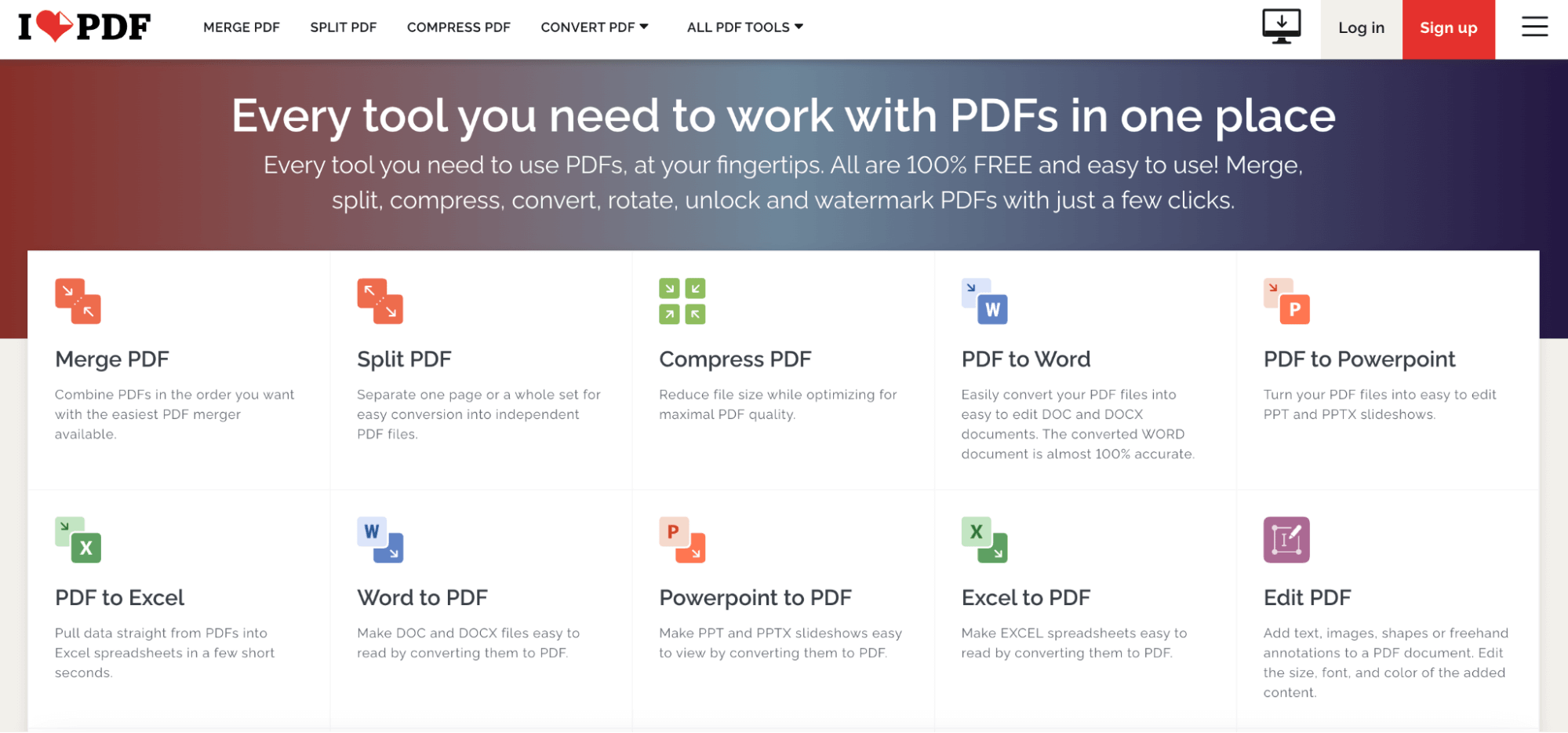
Screenshot: iLovePDF main page.
iLovePDF provides a suite of online tools to merge, split, compress, and convert PDF files. It is highly accessible, offering a free plan and a Premium plan at just $60 billed annually. The Business plan offers custom pricing for 25 or more users.
The platform supports ISO27001 and GDPR compliance, featuring regional file processing and an audit trail for its signature tiers. It offers desktop, mobile, and web access for premium users, focusing heavily on utility tasks.
While iLovePDF is highly efficient for document manipulation, it falls short as a comprehensive online PDF editor. You cannot seamlessly edit existing text directly within the document layout in the same way you can with pdfFiller. Enterprises needing to fill forms, rewrite content, and collaborate internally usually require a more robust solution.
Pros:
- Highly affordable pricing for basic document manipulation.
- Supports regional data processing for compliance needs.
Cons:
- Limited direct text editing capabilities.
- SSO is restricted only to the highest Business tier.
Comparison table: Enterprise PDF editors
|
Solution |
Deployment model |
Core strengths |
Enterprise/security notes |
Best fit |
Pricing approach |
| pdfFiller | Cloud-native | Advanced editing, 30M+ forms, smart fields | SOC 2 Type II, GDPR, PCI DSS, HIPAA | Comprehensive document workflows | Per user/year (scalable minimums) |
| Adobe Acrobat | Desktop & Cloud | Deep design integration, offline editing | High security, legacy compliance | High-end design & legacy IT | Premium subscription |
| DocuSign | Cloud-first | eSignatures, contract lifecycle | Advanced compliance tracking | Sales and formal agreements | Per envelope/user |
| Nitro PDF | Desktop focus | Windows optimization, analytics | SOC 2, HIPAA, ISO 27001 | Windows-heavy teams | Annual sub / perpetual options |
| Foxit | Desktop & Cloud | Fast processing, Microsoft integration | SOC, HIPAA, GDPR | Budget-conscious enterprises | Tiered subscription |
| Smallpdf | Browser-based | Simplicity, quick conversions | Standard cloud security | Light, basic document tasks | Flat monthly/annual |
| iLovePDF | Browser & utility | File manipulation, compression | ISO27001, regional processing | Bulk utility processing | Low-cost subscription |
This comparison table highlights key PDF tool options tailored to different needs and preferences. Adobe Acrobat stands out with its robust features and security, making it ideal for enterprise-level teams, while Foxit offers an appealing balance for budget-conscious organizations seeking Microsoft integration and fast processing. For users prioritizing simplicity, Smallpdf delivers an intuitive browser-based solution perfect for light tasks. Meanwhile, iLovePDF caters to those with bulk processing needs through its cost-effective subscription model. Each tool provides unique advantages, ensuring there’s a suitable option for every requirement.
How to choose the right enterprise PDF solution
Choosing the right PDF editor for your enterprise requires matching software capabilities with your specific operational needs.
- Audit your workflows: Start by auditing your current document workflows. Do your teams need to merge PDFs, edit existing text, or securely share documents for signatures?
- Prioritize security: Ensure the platform meets your industry’s regulatory demands. Look for SOC 2 Type II, PCI DSS, and GDPR compliance. If you’re in healthcare, verify HIPAA compliance. Also, consider how the tool handles data residency and authentication—prioritize platforms offering SSO and two-factor authentication.
- Evaluate integrations: The best enterprise PDF tools plug directly into the software you already use. Look for an editor that connects to Google Drive or your internal HR systems to reduce friction. Cloud-based platforms like pdfFiller excel here, offering cloud connections to automate data flow across your entire organization.
Disclaimer: The information contained in this blog post is provided for general informational purposes only and does not constitute formal legal advice.
Final thoughts
Selecting the right enterprise PDF software significantly impacts your team’s productivity and your organization’s data security. While desktop applications like Adobe Acrobat and Nitro PDF offer strong legacy support, modern enterprises increasingly rely on cloud-based document management to move faster.
pdfFiller provides a comprehensive, secure, and scalable solution that outperforms basic utilities and specialized signature tools. By combining advanced editing, automated form generation, and robust compliance features, it gives large organizations everything they need in one intuitive platform.
Start your free trial with pdfFiller today!
Glossary
- Cloud-based editor: Software accessed via a web browser that allows users to create, edit, and store documents on remote servers rather than local hardware.
- Audit trail: A secure, time-stamped digital record that tracks all activity on a document, including who viewed, edited, or signed it.
- Magic fields: Intelligent form fields that automatically detect where data should be entered, speeding up the document completion process.
- Single Sign-On (SSO): An authentication method that allows enterprise users to securely log in to multiple applications using one set of credentials.
- Conditional fields: Form fields that appear or change based on the data entered into previous fields, creating a dynamic user experience.
FAQ
1. What are the most secure PDF editing tools for enterprises?
Secure PDF editing platforms use robust encryption and adhere to strict compliance frameworks. Tools like pdfFiller maintain SOC 2 Type II, GDPR, and PCI DSS compliance to ensure enterprise data remains protected at all times.
2. How do pdfFiller's document management features stand out from Lumin PDF?
pdfFiller offers a more extensive suite of enterprise features, including an online library of over 30 million fillable forms, advanced conditional fields, and HIPAA compliance options. This makes it a preferred choice for complex enterprise document workflows.
3. Can pdfFiller integrate with other enterprise tools and platforms?
Yes. pdfFiller seamlessly integrates with major enterprise platforms, including Google Spreadsheets, Gmail, Dropbox, OneDrive, and Google Drive.
4. What are the best Lumin PDF alternatives for large organizations?
Enterprises evaluating Lumin PDF alternatives often look toward pdfFiller, Adobe Acrobat, or Nitro PDF. pdfFiller is frequently chosen for its cloud-first approach, scalable enterprise plans, and superior form-building capabilities.
5. Why is cloud-based document management important for businesses today?
Cloud-based document management allows distributed teams to access, edit, and share sensitive data securely from any location. It eliminates version control issues and accelerates the speed of business transactions.
6. How does pdfFiller ensure compliance with data protection regulations?
pdfFiller uses enterprise-grade security standards, including encrypted folders and two-factor authentication. It complies with major global frameworks like GDPR, PCI DSS, SOC 2 Type II, and offers HIPAA compliance for medical organizations. Organizations can review standard frameworks via the NIST guidelines.
7. What features should enterprises look for in a PDF editing tool?
Enterprises should look for advanced editing capabilities, easy-to-use interfaces, robust API integrations, automated form filling, and a comprehensive audit trail to track document history securely.
8. Is pdfFiller suitable for complex document workflows?
Absolutely. With features like magic fields, template creation, role-based sharing, and seamless e-signature routing, pdfFiller is designed specifically to streamline and scale complex enterprise document workflows.
Table of contents


